
A SIMPLE START
Install OptionDrag
Follow these steps to install OptionDrag on your Mac.
- 01 / 07
Download OptionDrag
Choose $0 to download immediately. Supporting development is always optional.
- 02 / 07
Open the disk image
Find OptionDrag-1.1.0-macOS-universal.dmg in Downloads and double-click it. If macOS blocks the image itself, follow step 5 first.
- 03 / 07
Install in Applications
Drag OptionDrag into Applications. Open the installed copy, rather than running it from the disk image.
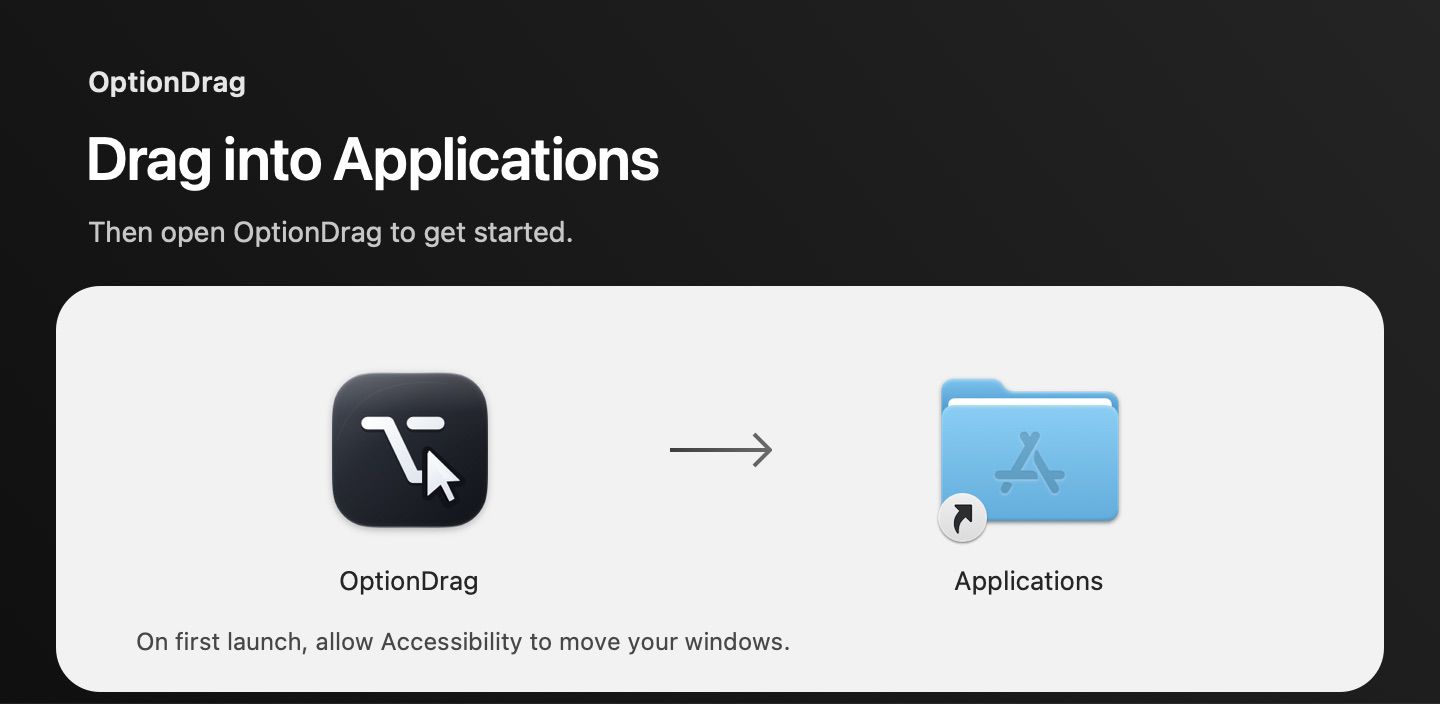
Actual OptionDrag installer · drag the app to Applications - 04 / 07
Open OptionDrag
Open Applications → OptionDrag. Its menu bar control keeps window gestures close at hand.
- 05 / 07
Review the security warning
This free release is not Apple notarized. If you trust the official download, use Open Anyway only when macOS offers it.
macOS 12 Monterey
System Preferences → Security & Privacy → General.Newer macOS
System Settings → Privacy & Security.If the warning says the file is damaged, will harm your computer, or contains malware, stop and report it. Do not try to bypass that warning.
Read Apple’s security guidance ↗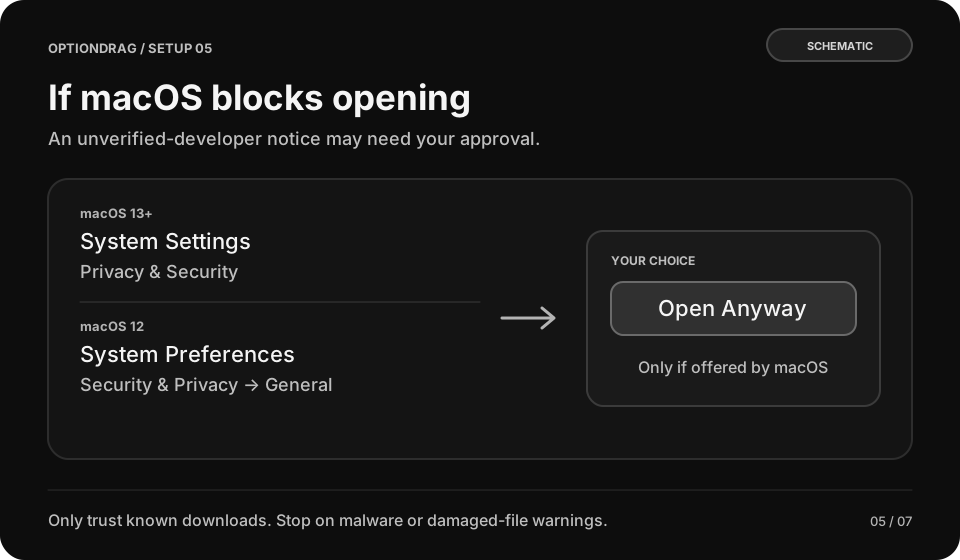
Original diagram · not a macOS screenshot - 06 / 07
Allow window control
Choose Set Up Accessibility in OptionDrag, then enable the app yourself in the system Accessibility list. Screen Recording and Full Disk Access are not needed.
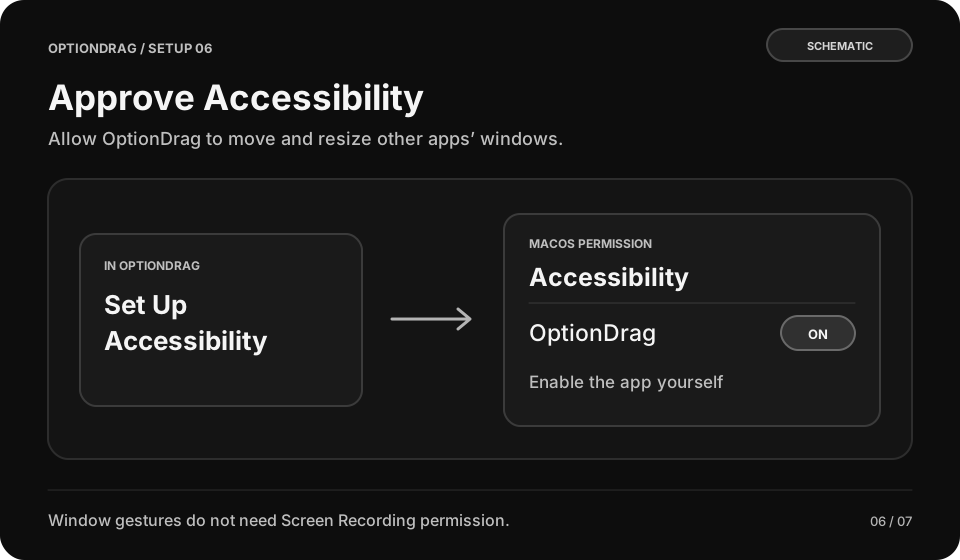
Original diagram · not a macOS screenshot - 07 / 07
Try the default gestures
Hold Option and left-drag to move, right-drag to resize, or double-click to maximize and restore. Quick Guide follows your current shortcuts.
MEET THE APP
OptionDrag on your Mac.
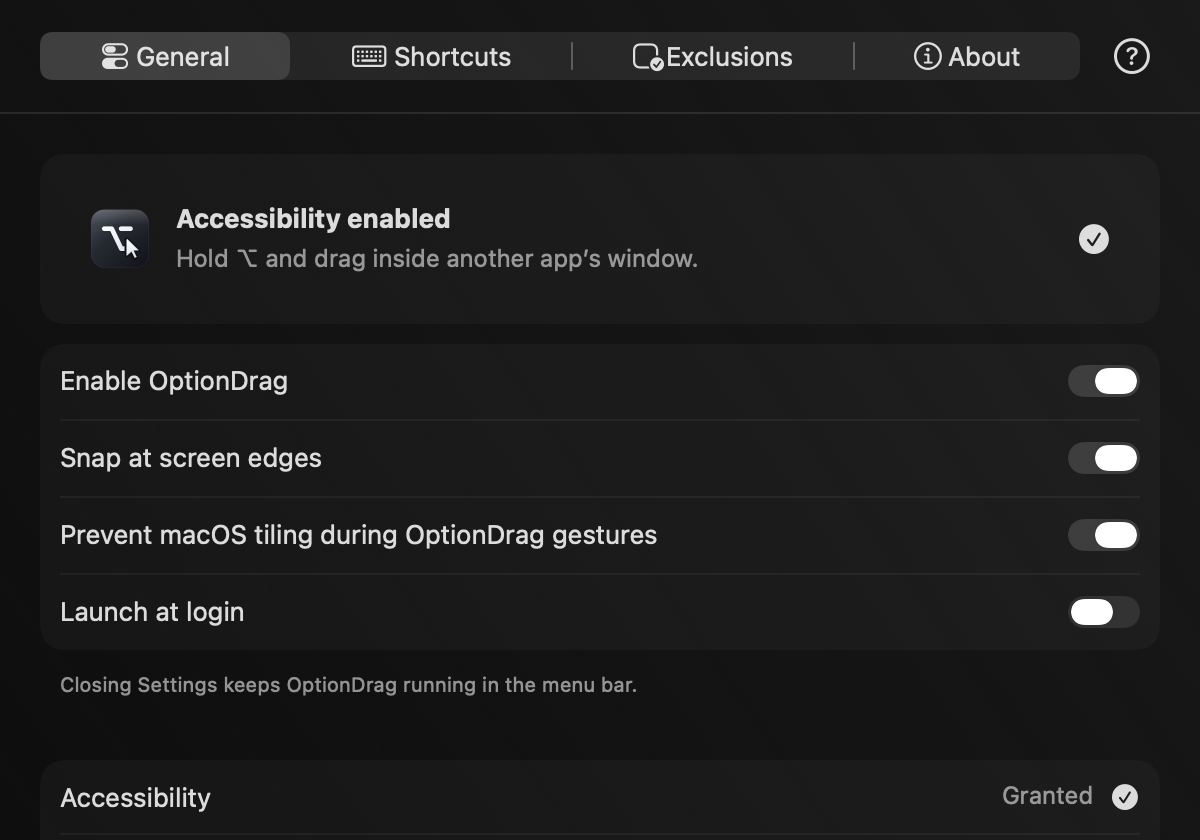
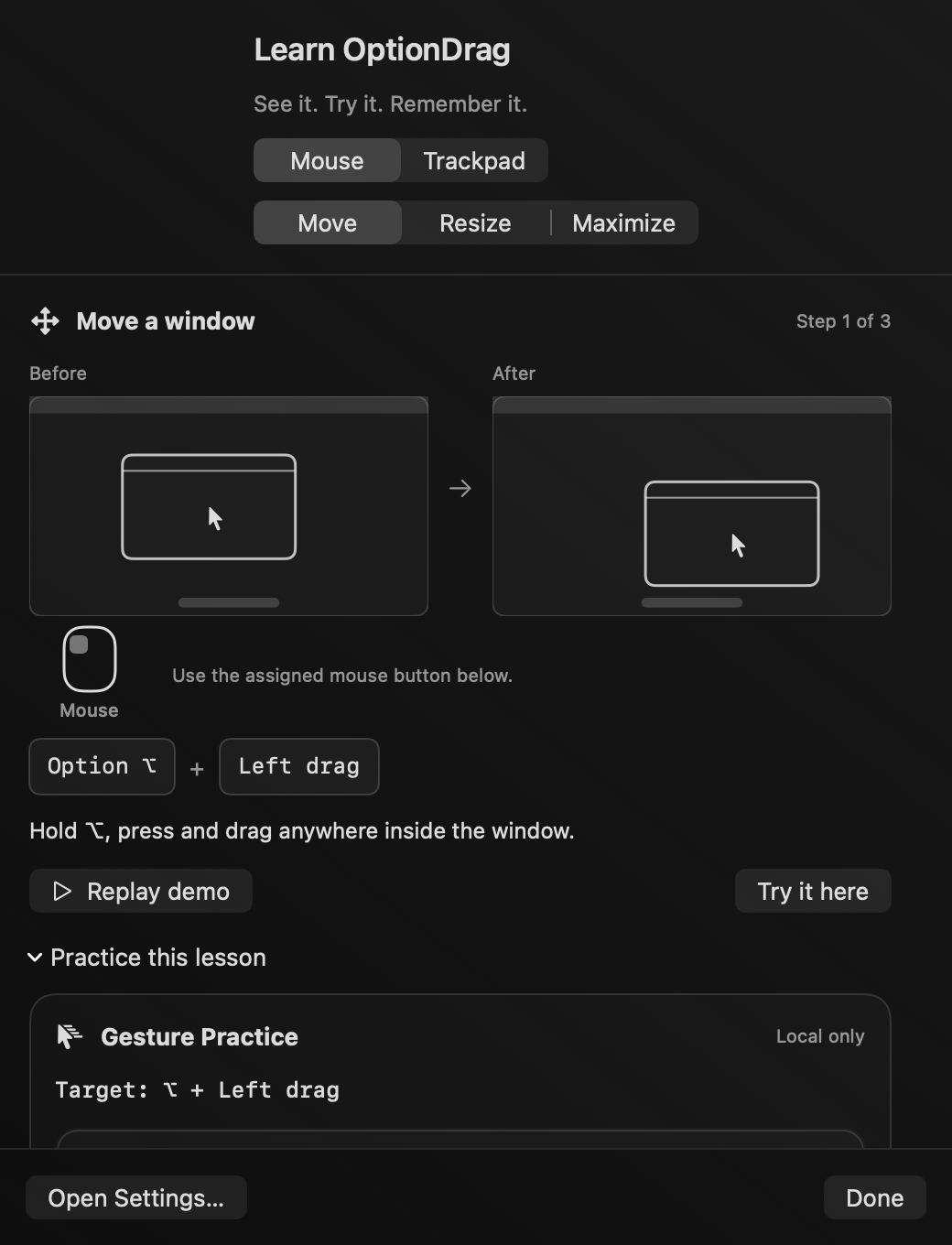
Real OptionDrag screens. Settings keeps control simple; Quick Guide helps you build a little muscle memory.
Troubleshooting
The DMG itself will not open
The security notice can apply to the image as well as the app. Follow step5 only if you trust the official download and macOS offers Open Anyway. ZIP is another package, not a security bypass.
Gestures do not move a window
Check that OptionDrag is enabled, Accessibility is granted, and the target app is not excluded. Open Quick Guide to check your current bindings. Updates may need Accessibility approval again.
